
Resources·Using Planning Partner
How to Share Your Referral Link (You Both Get a Free Lesson)
Where to find your Planning Partner referral link, how to send it to a colleague, and exactly what you each get when they sign up — with screenshots.
How does the referral link work?
Every Planning Partner account has a unique referral link. When a colleague creates an account through it, you both get +1 free lesson that month — on top of your normal free lessons, with no limit on how many people you can refer. No money changes hands and nobody has to buy anything; it's simply an extra lesson each.
Finding your link
- Click your initials in the top-right corner, or head to Settings.
- Open IV. Account in the left column.
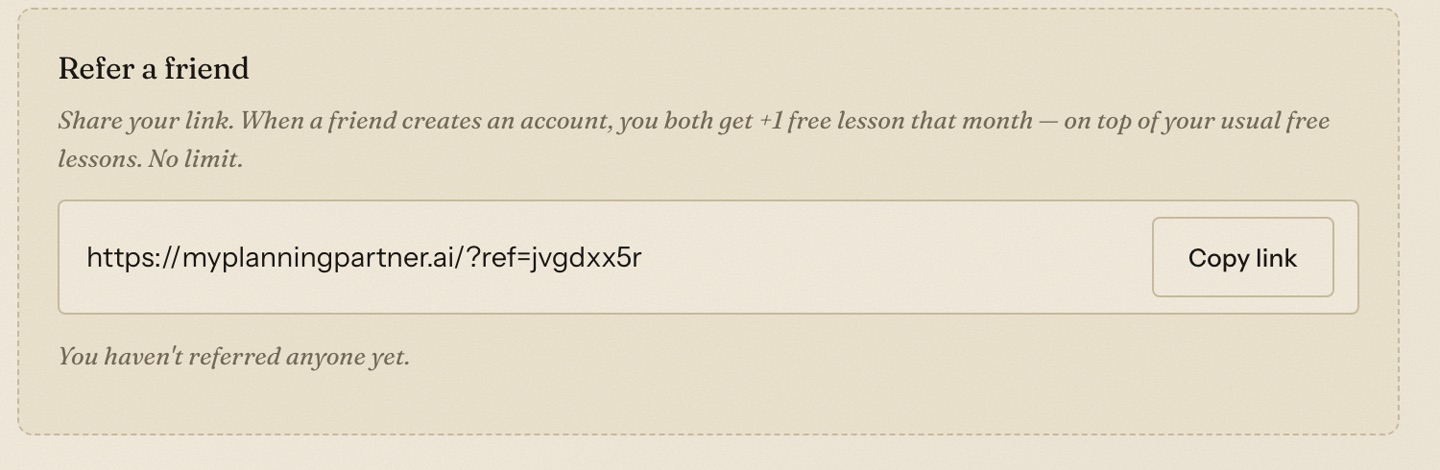
- Find the Refer a friend card and click Copy link.
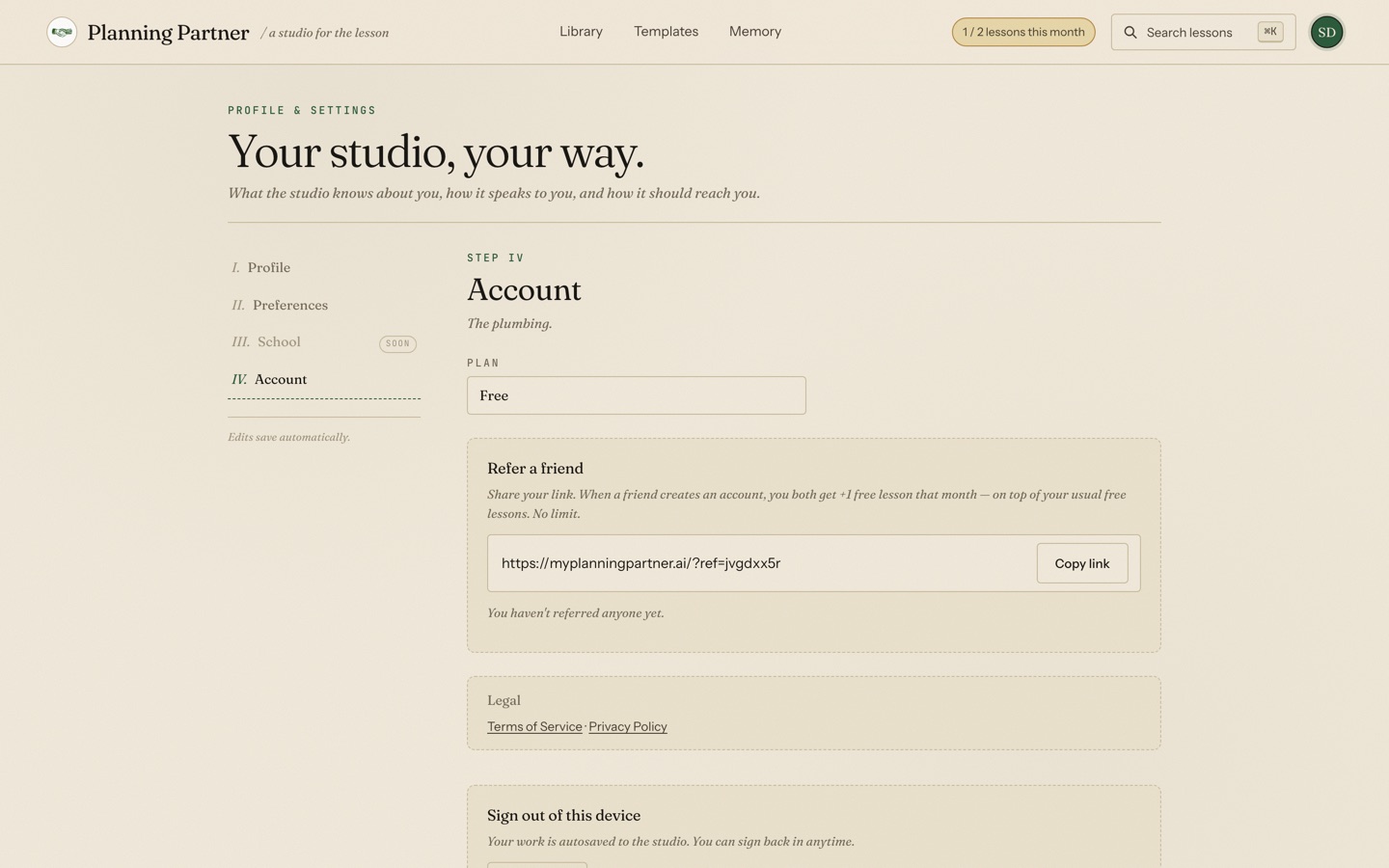
That's the whole mechanism — one link, tied to your account:
Sharing it
Paste the link anywhere your colleagues actually are: a text, a department-group email, the staff Slack or Teams channel, or a PLC agenda. Two lines that work fine:
I've been using Planning Partner to draft lessons — it built my sub plans in about two minutes. If you make an account through this link we each get a free bonus lesson: [your link]
There's no dashboard-gaming to do and no tier to unlock. Every colleague who signs up through the link adds one lesson to your month, every time.
What your friend sees
Your link opens the normal Planning Partner welcome page. They create a free account the usual way — nothing extra to enter, no code to type. The reward is applied automatically to both accounts the moment their account is created, and the Refer a friend card starts counting: you'll see a running list of the bonus lessons you've earned where it currently says "You haven't referred anyone yet."
A note on what this is (and isn't)
The referral program pays out in lessons, not cash — one bonus lesson to each side per signup. If your school or district is thinking about Planning Partner at the building level instead, that conversation doesn't run through referral links; just reach out directly.
New here yourself? Start with your first lesson — it takes about five minutes end to end.
Frequently asked questions
What do I get for referring a friend to Planning Partner?
You each get one bonus lesson added to the month your friend signs up, on top of your normal free lessons. There's no limit on how many colleagues you can refer.
Where is my Planning Partner referral link?
Settings → Account → Refer a friend. Click Copy link and it's on your clipboard.
Does my friend have to pay for me to get the bonus?
No. The bonus is granted when they create a free account through your link — no purchase involved on either side.
Can I refer myself with a second email address?
No — the system grants exactly one reward per new account and blocks self-referrals.
Do referral bonus lessons expire?
Bonus lessons are added to the month the signup happens. Use them that month; your normal free lessons refresh monthly as usual.
Your next lesson is a sentence away.
Planning Partner drafts standards-aligned, differentiated lessons — then hands you the controls.
Start free